Golf
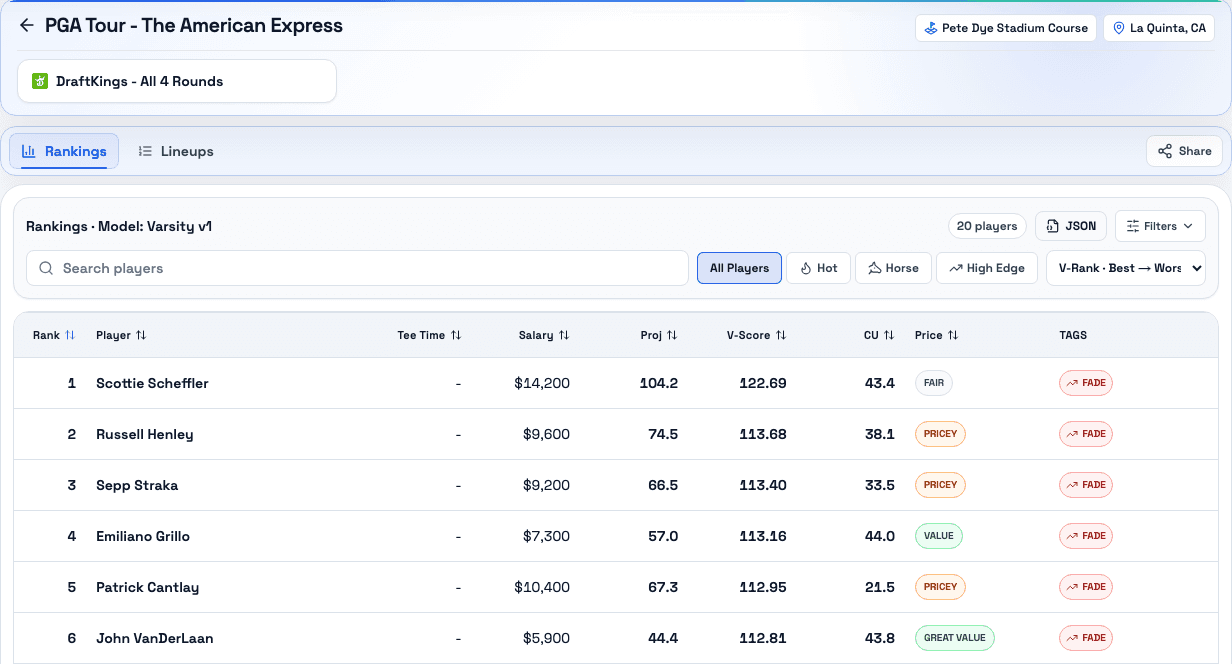
Compare player rankings, pricing, and lineup profiles for DraftKings and FanDuel.
Player rankings · Value context · Lineup profiles
Explore Golf reports

Golf & NFL DFS research
Explore published reports, compare player rankings and value, and use the slate context to shape your next build.
Browse reports, then sign in for member views.
Choose your starting point
Bring the report into your existing DFS research process.
Compare player rankings, pricing, and lineup profiles for DraftKings and FanDuel.
Player rankings · Value context · Lineup profiles
Explore Golf reportsFind Classic and Showdown reports, then compare player value in the context of your slate.
Classic & Showdown · Player value · Slate context
Explore NFL reportsResearch to review
Choose your sport, DFS site, and event. Check the report’s dates before making it part of your research.
Review the rankings and value available in the report. Sign in for member views, including lineup tools where available.
Revisit published analysis and explore completed Golf model evaluations. Report results are available when published.
Published analysis
Check each report’s event date and last update before using it for your slate.
Golf · Published report
FanDuel · Main
Event: 08-Oct-2026
Report updated: 06-Oct-2026
NFL · Published report
DraftKings · Main
Event: 04-Oct-2026
Report updated: 04-Oct-2026
Explore published Golf model comparisons across 34 completed site-event evaluations. Compare results by DFS site and event.
Historical model results describe the evaluated sample and do not guarantee future outcomes.
Advanced access
Learn about read-only access to Varsity data through MCP. MCP access requires explicit account approval.
MCP accessAccess and next steps
You can explore report search and public rankings. Some reports and member views require sign-in and active access, including gated NFL content.
Report results appear when published and may require member access. You can also explore Golf backtesting to compare completed model evaluations.
Start with a Golf or NFL report, then choose the tools that fit your process.